Membangun Web Server LEMP Stack (Linux, Nginx, MariaDB, PHP) Berkinerja Tinggi
LEMP Stack (Linux, Nginx, MariaDB, PHP) adalah fondasi server web paling terpercaya untuk menangani beban trafik tinggi dengan efisiensi memori yang superior dibandingkan Apache tradisional. Panduan ini membahas konfigurasi lengkapnya di Ubuntu.
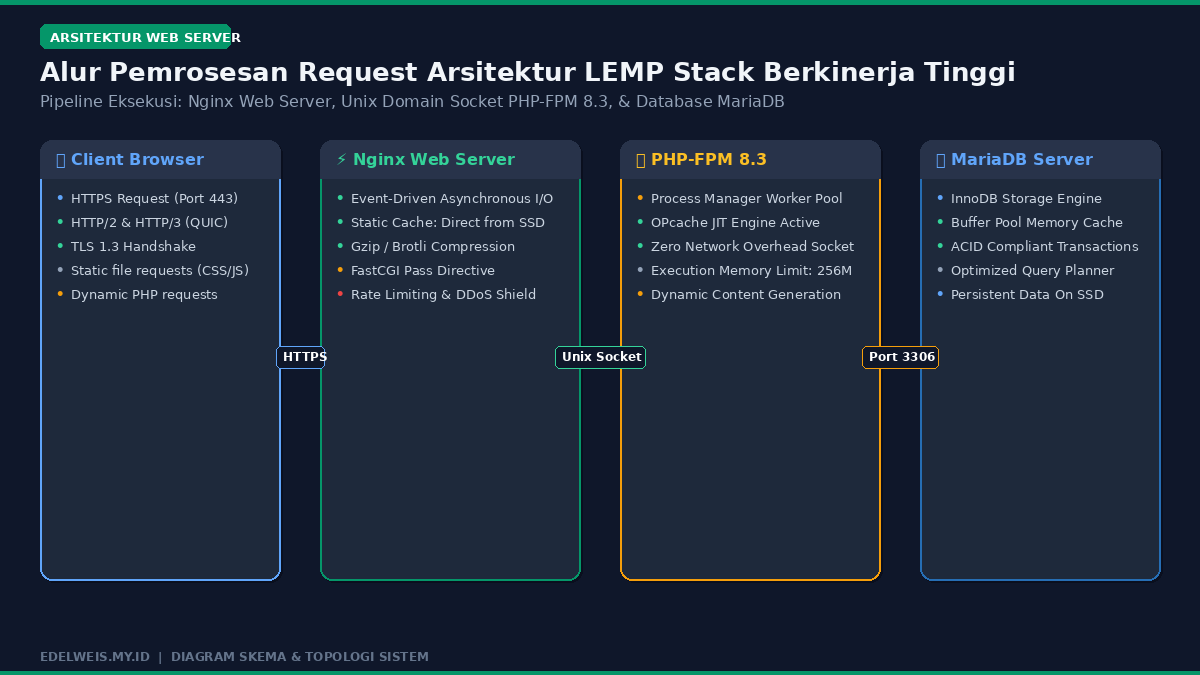
Topologi & Skema Arsitektur Penerapan
1. Instalasi Nginx Web Server
sudo apt update
sudo apt install nginx -y
sudo systemctl enable --now nginx
sudo ufw allow 'Nginx Full'
2. Instalasi dan Hardening Database MariaDB
sudo apt install mariadb-server -y
sudo mysql_secure_installation
3. Instalasi PHP & Modul Ekstensi Penting
sudo apt install php-fpm php-mysql php-curl php-gd php-mbstring php-xml php-zip -y4. Konfigurasi Nginx Server Block (Virtual Host)
Buat file konfigurasi domain di /etc/nginx/sites-available/webku.com:
server {
    listen 80;
    server_name webku.com www.webku.com;
    root /var/www/webku;
    index index.php index.html;

    location / {
        try_files $uri $uri/ /index.php?$args;
    }

    location ~ \.php$ {
        include snippets/fastcgi-php.conf;
        fastcgi_pass unix:/var/run/php/php8.3-fpm.sock;
    }

    location ~ /\.ht {
        deny all;
    }
}
5. Pasang Enkripsi SSL Gratis dengan Certbot
sudo apt install certbot python3-certbot-nginx -y
sudo certbot --nginx -d webku.com -d www.webku.com
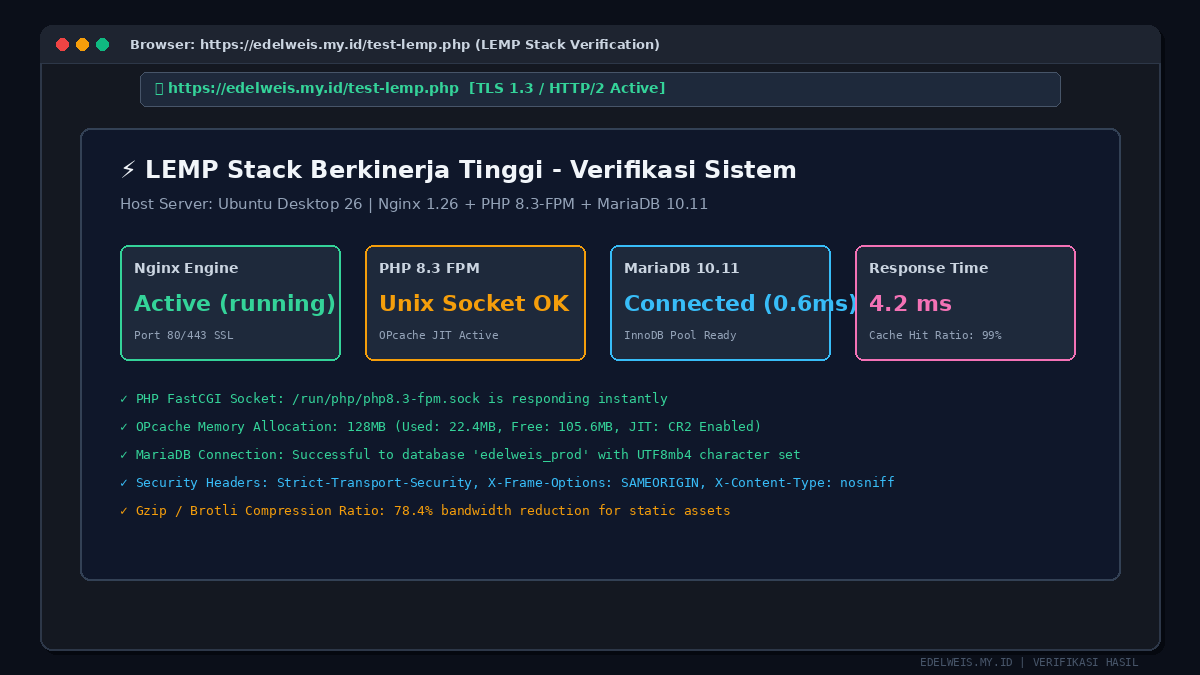
Verifikasi & Tampilan Hasil Akhir Sistem